How to Check Your UAE Visa Status by Passport Number? 2026 Easy Guide
To check your UAE visa status, use GDRFA for a Dubai visa, or ICP Smart Services for any other emirate. Enter your passport number, or your Emirates ID with your date of birth. The result shows your visa status, expiry date and file number. It is free and instant. Using the wrong portal returns no record.
- Note which emirate issued your visa.
- Open GDRFA for Dubai, or ICP for other emirates.
- Enter your passport number exactly, and search.
Which portal: ICP or GDRFA?
This is the step that trips people up. There are two systems, and you must use the one that matches your visa. If your visa was issued in Dubai, you check it on GDRFA. If it was issued in any other emirate, you check it on ICP.
| Your visa was issued in | Check it on |
|---|---|
| Dubai | GDRFA Dubai (smart.gdrfad.gov.ae) |
| Abu Dhabi, Sharjah, Ajman, Umm Al Quwain, Ras Al Khaimah or Fujairah | ICP Smart Services |
Why this matters so much comes down to one thing. If you use the wrong portal, the system does not warn you. It simply returns “No Record Found.” Many people see that and panic, thinking their visa was cancelled, when it is perfectly valid. So always match the portal to the emirate first.
Check your visa status by passport number
Checking by passport number is the most common way. It is free on both portals, and the result appears in seconds.
On GDRFA (Dubai visas)
- Go to gdrfad.gov.ae and open Services, then Visa Status or Residency Inquiry.
- Enter your exact passport number, including any leading zeros.
- Search, and your visa status and validity appear on screen.
On ICP (other emirates)
- Go to icp.gov.ae smart services and choose Passport Information.
- Select Visa as the type, then enter your passport number, passport expiry date and nationality.
- Search to see your result.
Type your passport number carefully. A single wrong digit also returns “No Record Found,” even when your visa is valid. If a check comes back empty, first re-check the number, then check the other portal.
Check your visa status by Emirates ID
If you are a resident, you can check by Emirates ID instead. Go to ICP Smart Services and open the public services section. Enter your Emirates ID number with no spaces or dashes, your date of birth, and your nationality. Your status appears in seconds.
One useful fact for residents. Your Emirates ID expiry date is aligned with your residence visa expiry date. So the date on your Emirates ID also tells you when your visa runs out. It is printed on the front of the card, in the lower right corner.
What the result shows?
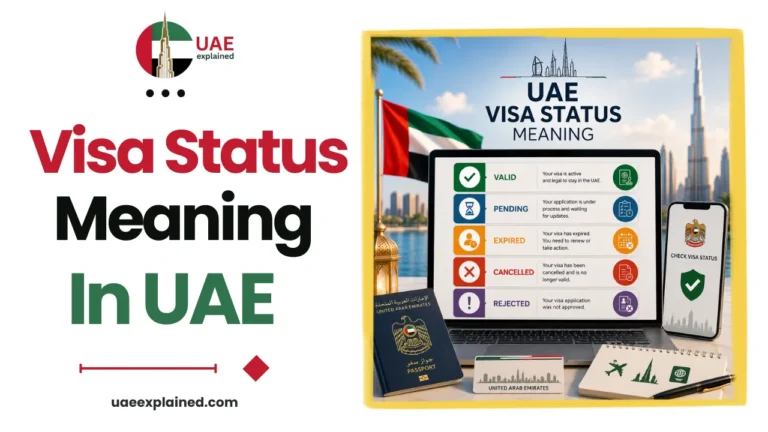
The result gives you three key things. It shows your visa status, such as active, expired or used. It shows your visa expiry date. And it shows your file number, which is useful for other services.
If the wording is unclear, our guide to what your visa status result means decodes each term. If your visa shows as cancelled or you are between jobs, check the visa cancellation status too. It is also worth running a travel ban check before you fly. The full set of guides sits in our UAE visa and immigration guide.
Frequently asked questions
How do I check my UAE visa status by passport number?
Use GDRFA for a Dubai visa, or ICP Smart Services for any other emirate. On GDRFA, open Visa Status and enter your exact passport number. On ICP, choose Passport Information, select Visa, then enter your passport number, its expiry date and your nationality. The check is free and shows your status in seconds.
Why does my visa check say “No Record Found”?
Usually because you used the wrong portal, or mistyped your passport number. It rarely means your visa is cancelled. Dubai visas only show on GDRFA, and other emirates only show on ICP. Re-check the number for leading zeros and typos, then try the correct portal for your emirate.
Can I check my visa status with my Emirates ID?
Yes. On ICP Smart Services, enter your Emirates ID number with no spaces or dashes, your date of birth, and your nationality. Your visa status and expiry appear at once. Remember that your Emirates ID expiry is the same as your residence visa expiry, and it is printed on the card.
Is it free to check UAE visa status?
Yes. Checking your visa status and validity on the official ICP and GDRFA portals is completely free, and the result is instant. You do not need to pay any third-party website. Only use the official portals, and avoid sites that ask for a fee to check your status.
Last verified: July 2026
Written by Roman Shah · Reviewed by the UAEexplained editorial team
Source: Federal Authority for Identity, Citizenship, Customs and Port Security (ICP); GDRFA